Showing posts with label stock. Show all posts
Showing posts with label stock. Show all posts
Thursday, February 5, 2015
Allwinner A20 S738 mainboard v2 0 0 Top Wise 013 Stock Rom
Allwinner A20 S738 mainboard v2.0.0 Top Wise -013 Stock Rom for Allwinner Tablets.
Tablette Condor Model : CTAB 700LCPU : Allwinner A20Processor : Quad Core
 |
| Condor CTAB 700L Firmware |
Before Proceeding must read :
What board id ,BoxChip,CPU Chip ,does my tablet pc have ?
Things to remember before Flashing Tablet Pc
Frequently Asked Question about Tablets

Tablet Flashing Tool : Firmware upgrade tool LiveSuit & Drivers Tablet Flashing Tool: Firmware Flashing Tool Phoenix Suit Flashing with SD Card:Firmware update instruction with microSD card LiveSuit Tutorial : how to flash tablet with LiveSuit
Frequently Asked Question about Tablets
What tools are required to Flash Allwinner Tablets ?

Sunday, February 1, 2015
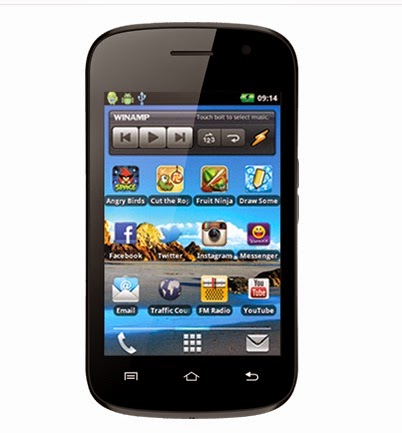
Cloudfone Ice 350e Stock ROM to unbrick your phone
At last I now have the files for the Cloudfone ICE 350e to fully recover your boot-looped and soft-bricked phone. I have the two firmware, you can try which firmware matches to your phone. Because sometimes the touchscreen does not work if the firmware is not suitable to your device.
TOOLS
ResearchDownload --> DOWNLOAD HERE
Firmware v.06 --> Download HERE
Firmware v.07 --> Download Here
Driver -- > DOWNLOAD HERE
or this Driver -- > Download Here
DOWNLOAD THE FILES, AND EXTRACT. INSTALL DRIVER.
There are two ways you can use this firmware.
1. To fully flash your phone
2. To remove password, pattern lock, and gmail account.
TO remove password, pattern lock and gmail account.
1. Open Researchdownload
2. Load packet and look for file(first button)
3. Check only the following
✓FDL1✓FDL2✓UserData
4. Click in BACKUP page, and UNCHECK ALL and press OK
5. And lastly press the Play button to continue flashing.
TO fully flash your phone.
1. Open Researchdownload
2. Load packet and look for file(first button)
3. Remove check in the following selection
✓EraseRuntimeNV
✓PHASE_CHECK
✓EraseCache
✓EraseData
✓EraseMisc
4. Click in BACKUP page, and UNCHECK ALL and press OK
5. And lastly press the Play button to continue flashing.
I hope this tutorial help you recover your phone :)
Read more »
TOOLS
ResearchDownload --> DOWNLOAD HERE
Firmware v.06 --> Download HERE
Firmware v.07 --> Download Here
Driver -- > DOWNLOAD HERE
or this Driver -- > Download Here
DOWNLOAD THE FILES, AND EXTRACT. INSTALL DRIVER.
There are two ways you can use this firmware.
1. To fully flash your phone
2. To remove password, pattern lock, and gmail account.
TO remove password, pattern lock and gmail account.
1. Open Researchdownload
2. Load packet and look for file(first button)
3. Check only the following
✓FDL1✓FDL2✓UserData
4. Click in BACKUP page, and UNCHECK ALL and press OK
5. And lastly press the Play button to continue flashing.
TO fully flash your phone.
1. Open Researchdownload
2. Load packet and look for file(first button)
3. Remove check in the following selection
✓EraseRuntimeNV
✓PHASE_CHECK
✓EraseCache
✓EraseData
✓EraseMisc
4. Click in BACKUP page, and UNCHECK ALL and press OK
5. And lastly press the Play button to continue flashing.
I hope this tutorial help you recover your phone :)
Subscribe to:
Posts (Atom)